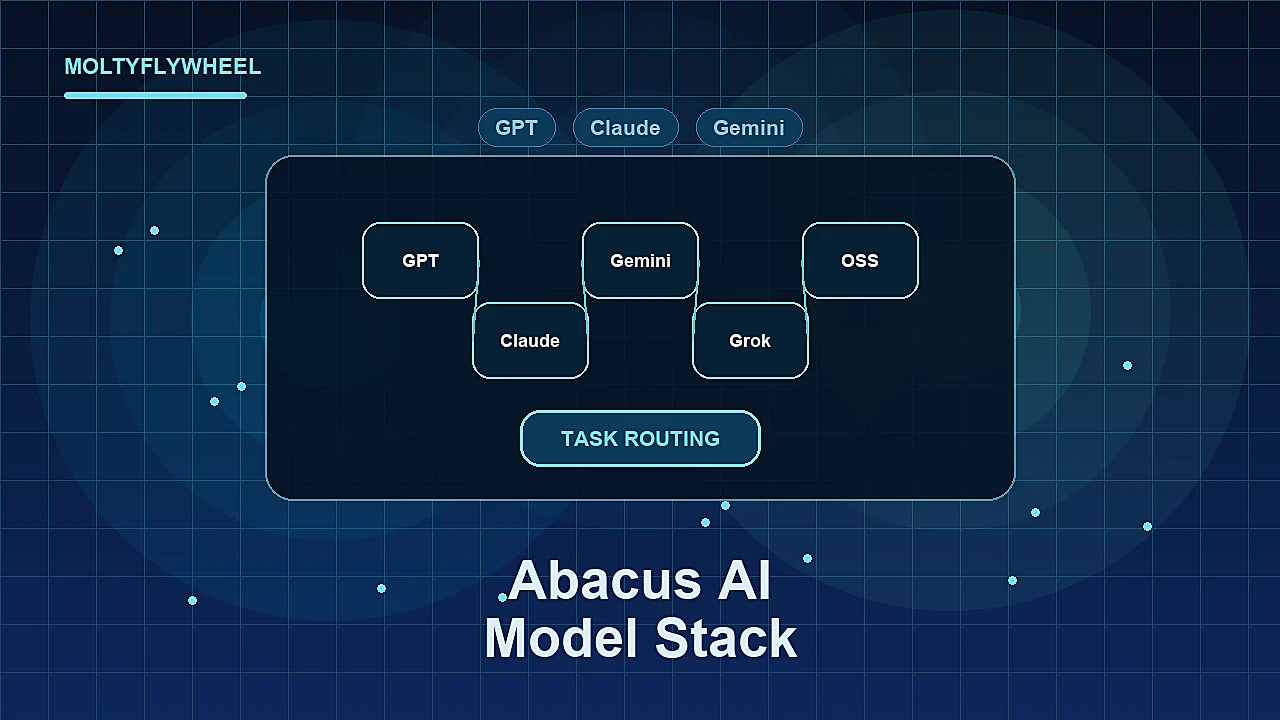
If you look at Abacus AI as just a cheaper way to access many models, you will probably miss the real value.
The useful question is when a multi-model workspace actually improves output quality, workflow speed, or operational reliability for a small team.
Quick Answer: Abacus AI’s model stack is useful when your work benefits from routing different tasks to different model families: reasoning, writing, coding, research, image generation, video generation, and agent execution. It is less useful if your team only needs one general assistant. Multi-model access creates leverage when it reduces tool switching and improves task routing, not when it becomes a reason to test every model endlessly.
For the broader product context, start with what Abacus AI is and when it fits. This article focuses on the model-access layer and how to use it without turning it into another distraction.
What the Abacus AI Model Stack Actually Is
Abacus AI’s ChatLLM Teams positioning is built around one core promise: one assistant surface with access to many leading language, image, and video models, plus agent capabilities.
The current public ChatLLM pages reference access to model families such as GPT, Claude, Gemini, Grok, DeepSeek, Kimi, Qwen, Abacus Smaug, and open-source options, alongside image/video generation and agent features. The exact lineup can change, which is why the right way to evaluate the stack is by task routing rather than memorizing model names.
The model stack matters because most real workflows are not one task.
A single content operation might need:
- web research
- document analysis
- outline planning
- first-draft writing
- editorial critique
- code or data cleanup
- image generation
- video ideation
- recurring agent execution
One model can handle many of those tasks. But one model is rarely best at every task all the time.
That is the argument for a multi-model workspace.
When Multi-Model Access Is Actually Useful
Multi-model access is useful when switching models changes the result in a meaningful way.
It is not useful when it simply gives the team more options to procrastinate with.
1. Research and synthesis
Research tasks benefit from comparing outputs.
One model may be stronger at extracting structure from long text. Another may produce a cleaner summary. Another may be better at identifying gaps or contradictions.
For content operators, this matters when building:
- comparison articles
- tool evaluations
- market notes
- source-backed guides
- internal briefs
The practical workflow is simple: use one model to extract facts, another to identify decision dimensions, and a human to approve the final angle.
That is different from asking five models the same vague question and picking the answer that sounds best.
2. Coding and internal tooling
Coding tasks are a strong case for model routing.
Some models are better at repository-level reasoning. Some are faster for small edits. Some are better at explaining code to non-developers. Some are better at debugging with terminal output.
Abacus AI becomes more useful here if it reduces the need to maintain separate coding subscriptions or copy context across tools.
For a small operator team, this can support:
- landing page fixes
- internal tool prototypes
- scripts for reporting
- data cleanup utilities
- automation debugging
- lightweight app scaffolds
The key is to keep the model choice attached to task type.
3. Image and video experimentation
Abacus AI’s positioning includes access to image and video generators, not only language models.
That matters when a content workflow needs quick visual ideation: thumbnails, blog covers, ad concepts, product mockups, or creative directions.
This does not replace a finished design process. It helps teams test directions faster before investing time in final production.
The useful pattern:
- Generate several concepts.
- Pick one direction.
- Refine manually or in a dedicated design tool.
- Keep the prompt and output attached to the content brief.
The mistake is treating every generated image as production-ready.
4. Agent workflows
The model stack becomes more interesting when paired with agents.
Abacus AI’s current public positioning includes Abacus AI Agent and Abacus Claw. That combination matters because model access alone is passive. Agents turn model access into work execution: research, apps, documents, reports, automation, and scheduled tasks.
For small teams, the best agent tasks are narrow:
- weekly source monitoring
- draft QA
- reporting summaries
- content queue preparation
- competitor page checks
- internal brief generation
The model stack supports the agent layer when different steps need different capabilities. The agent becomes the orchestrator, not just another chat window.
When Multi-Model Access Adds Noise
Multi-model access is not automatically better.
It can create three problems.
1. Evaluation paralysis
If every task starts with “which model should we use?”, the team loses time.
The fix is to create defaults:
- one default model for everyday writing
- one default model for long research
- one default model for coding
- one default model for visual ideation
- one escalation model for difficult tasks
Defaults make multi-model access usable.
2. Inconsistent output style
Different models have different writing habits.
If your content operation switches models constantly, the voice can drift. This matters for blogs, newsletters, offer pages, and social content.
The fix is to put the style guide above the model. The model is the engine; the editorial system is the constraint.
3. False confidence from consensus
If three models agree, the answer can still be wrong.
Models may share similar training signals, search snippets, or assumptions. Agreement is useful, but it is not verification.
For factual content, verify against primary sources. For strategy, use model outputs as inputs to judgment, not replacements for judgment.
A Practical Routing Framework
Use Abacus AI’s model stack as a routing layer.
Use a fast everyday model for:
- summaries
- rough rewrites
- simple ideation
- short email drafts
- lightweight classification
Use a stronger reasoning model for:
- comparison frameworks
- complex briefs
- decision support
- multi-source synthesis
- editorial critique
Use coding-oriented models for:
- scripts
- repo changes
- bug diagnosis
- API workflows
- internal tools
Use visual models for:
- cover concepts
- ad directions
- thumbnail exploration
- campaign imagery
- early creative testing
Use agents for:
- recurring tasks
- multi-step execution
- monitored workflows
- reports
- task handoffs
This keeps the model stack from becoming a novelty shelf.
If your team is also considering whether to use managed agents, the Abacus AI vs OpenClaw comparison explains when the hosted Claw path makes more sense than self-managing the environment.
What to Avoid
Avoid using multi-model access as an excuse to avoid building a workflow.
The model stack is only useful when the task is defined.
Common mistakes:
- testing ten models before defining the desired output
- using different models for the same content type without a style guide
- treating model agreement as source verification
- paying for multi-model access while still using only one simple chat workflow
- adding agents before the recurring task is clear
The right sequence is workflow first, model routing second, automation third.
Checklist: Use the Model Stack Without Creating Chaos
- Define default models by task category.
- Keep a shared style guide for all public content.
- Verify factual claims against primary sources.
- Use model comparison for hard decisions, not every minor task.
- Route visual tasks separately from writing and research tasks.
- Move recurring tasks into agents only after the manual workflow is stable.
- Review the Abacus AI tool page before deciding if the platform fits your stack.
Frequently Asked Questions
What is the Abacus AI model stack?
It is the collection of model access and generation capabilities available through Abacus AI’s ChatLLM Teams and related products. Public pages currently position ChatLLM as one assistant with access to many language, image, and video models plus agent features.
Is multi-model access worth it for small teams?
It is worth it when the team does different types of AI work: writing, research, coding, visual generation, and agents. It is less useful when the team only needs one general assistant for occasional prompts.
Does multi-model access improve accuracy?
It can improve review quality by giving you multiple perspectives, but it does not replace source verification. For factual content, primary sources still matter more than model consensus.
Should every task use a different model?
No. Create defaults by task type. Use specialized or stronger models only when the task justifies the extra attention.
How does Abacus Claw relate to the model stack?
Abacus Claw is the managed persistent-agent layer. The model stack supplies capabilities; Claw can turn those capabilities into recurring or multi-step workflows.
Evaluate Abacus AI as a Routing Layer
Abacus AI is most useful when it reduces tool switching and helps your team route work to the right model or agent layer.
The Abacus AI tool page is the next step if you want the product-level fit, CTA path, and practical program context.
Use it to decide:
- whether broad model access replaces enough of your current stack
- whether agents matter for your workflows
- whether the platform is simpler than your current tool mix